


NBA: Live Games & Scores
4.68.16K Reviews
App Specs
- Version
- Varies with Device
- Updated On
- License
- Free
- Downloads
- 50,000,000+
- Developer
- NBA Properties, Inc.
- Categories
- Sports
- Platform
- Android, iOS
Screenshots
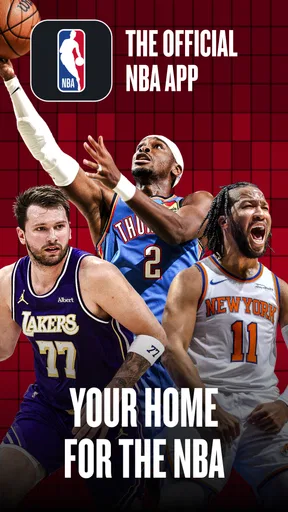
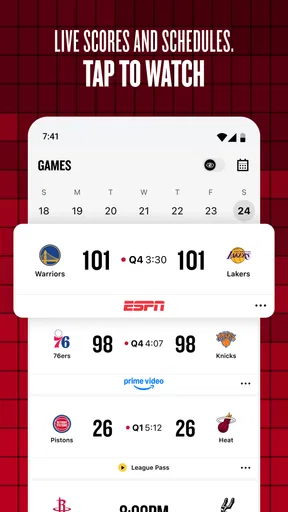
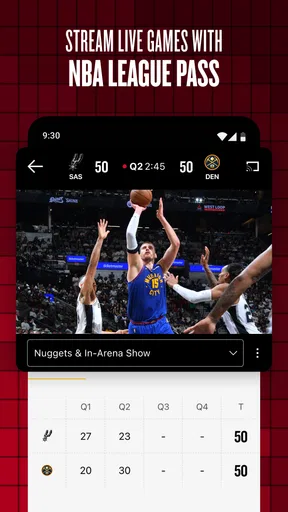
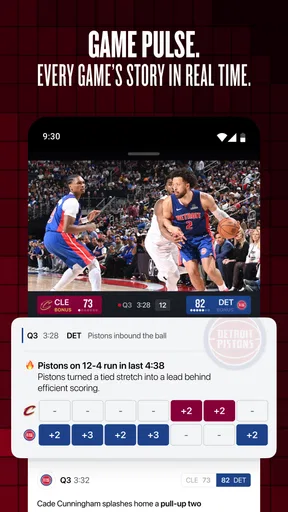
 Analysis by AppCompare
When I’m deciding how to follow the NBA away from a television, I first ask whether I need to watch a game, keep up with its score, or simply catch the key moments later. Those are different needs, and no one app is automatically the best answer for all three. NBA: Live Games & Scores is worth considering if you want league-focused updates and a route to live viewing, but it helps to know which parts of that experience matter to you before you install it.
Choosing the right way to follow the NBA
The official app is made by NBA Properties, Inc. and sits in the sports category. It is free to install, rated for Everyone, and has an average rating of 4.4 from around 240,000 ratings, with more than 10 million installs. Those figures suggest it has broad appeal, though popularity alone won’t tell you whether its mix of scores, video and viewing options suits your routine.
I’d separate the decision into three questions: Do I want timely game information? Do I expect to watch live rather than follow along? And am I comfortable with a free app that includes in-app purchases? The NBA app’s central draw is its close connection to the league and its League Pass viewing option. The trade-off is that the word “free” describes the download, not necessarily every viewing choice or piece of content you might want.
Check what you mean by “watching”
If you mainly want to know whether your team is winning while you’re busy, scores and game updates can be enough. If you want the full live broadcast, check the available League Pass choices and their current terms in the app before planning around a game. In-app purchases range from $0.99 to $399.99 per item, so I would treat the app as a free starting point and review the purchase details carefully rather than assume live access is included at no cost.
That distinction matters in ordinary life. I might glance at a score between errands, then decide later whether a highlight is enough or whether I want to settle in for a live game. The app can serve both kinds of interest, but the best experience depends on choosing the viewing option that matches how often and how fully I intend to watch.
Where the official NBA app earns its place
The strongest reason to choose it is that it is built around the NBA rather than being a general sports destination. I find that focus useful when I want to move from a game’s score to league-related material without first filtering through other sports. For a fan who follows several teams, or who checks in across the league instead of watching only one club, having that NBA-centered starting point can make a daily routine feel more direct.
The app’s range also makes it useful for different levels of attention. A casual fan can check a result and move on; a more involved follower can spend longer with game information and video. League Pass adds a path for people who want live coverage through the same NBA-focused experience. That combination is more appealing to me than installing a broad sports app solely for basketball, especially if the NBA is the sport I follow most closely.
Worth Reading Before You Choose

Baby Panda World Brings Quick Play to Modern Phones, but Its Game Library Feels Busy

ESPN’s Live Game View Makes Following Close Games Easier

QuizzLand Review: A Good Fit for Short Trivia Breaks, Not Every Player

Basketball Stars: Multiplayer Is Fast, but Can It Recover When Matches Go Wrong?

WEBTOON Turns Phone Updates Into a Better Reading Routine

Link to Windows Runs on Shared Habits, Not Social Feeds
Practical ways to make it work for you
One helpful approach is to decide what deserves an alert before enabling notifications. If every update competes for attention, it becomes easy to ignore all of them. I would start with the teams or players I genuinely follow, then adjust after a few days. That keeps a busy day from turning into a stream of prompts while preserving the moments I care about.
Another useful habit is to treat the app as a two-step companion: use scores and game information when you have only a minute, and save viewing for a time when you can actually pay attention. If I’m commuting or waiting in line, a quick check can answer “How is the game going?” without committing me to a stream. Later, a highlight can fill the gap when I missed the action. This is a better fit for fragmented schedules than expecting to watch every game live.
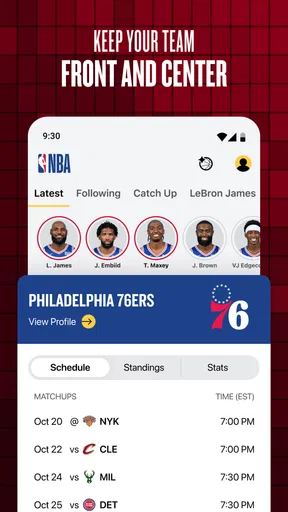
For someone who follows players as much as teams, personalization can help make a crowded league easier to track. I’d keep the selection focused rather than add every name that catches my eye; a smaller feed is easier to scan and more likely to surface relevant updates. It is also worth checking whether a notification is useful in the moment: a score alert may be welcome at lunch but distracting during a meeting. Tailoring the app is not just cosmetic; it can determine whether it remains helpful after the novelty wears off.
When another option may be better
If you want a broad view of several sports, a general sports app may be a more convenient home base. It can reduce the need to switch between apps when your interests extend well beyond basketball. Likewise, if your main priority is watching games on a television or through a service you already use, that viewing setup may be simpler than making the NBA app your hub. The right choice depends on whether NBA-specific coverage is worth having at the center of your phone experience.
There is also a meaningful difference between following a game and watching one. Score updates and highlights help me stay informed, but they cannot replace the pace, atmosphere and context of a full broadcast. If you only want occasional results, the app may offer more NBA material than you need. If you want live viewing, the cost and terms of the relevant in-app option deserve a closer look before you rely on it for a season or a particular matchup.
A further trade-off is attention. League coverage can make it tempting to check scores, videos and updates repeatedly, even when a quick result would have answered the question. I’d use a simple rule: open the app with a purpose—check a score, review a game, or watch—and close it when that task is done. That keeps a sports companion from becoming another source of constant interruption.
What changes when you switch
If you already follow the NBA through another app, switching does not have to mean abandoning it immediately. Try the NBA app for the specific jobs where its league focus is useful, such as checking NBA game information or exploring its live-viewing route, while keeping your existing option for anything it handles better. After a week or two of ordinary use, it should be clearer whether one app covers your needs or whether a combination is more practical.
Before settling in, take a moment to choose your teams and notification preferences, then look at the live-viewing options rather than waiting until tip-off. That small setup step can prevent two common frustrations: receiving more alerts than you want and discovering that a viewing choice needs attention just as a game begins. If you share a score or highlight with friends, think of that as a quick way to bring others into the moment, not a substitute for a conversation or a full shared viewing experience.
The NBA app is free to download, but in-app purchases cost from $0.99 to $399.99 per item. That wide range makes it especially sensible to pause at each purchase screen and confirm what the item covers before paying. Someone who only checks scores may never need to spend anything; someone seeking live access should make the purchase decision based on the option shown in the app and their own viewing habits.
All the Action, Anytime, Anywhere
We live in a fast-paced world, and keeping up with live sports can be a challenge. That’s where NBA: Live Games & Scores shines. With this app, you can catch live updates and scores from any NBA game. Whether you're commuting, at work, or just out and about, you won’t miss a dunk or buzzer-beater. It’s like having a courtside seat in your pocket!
Features that Keep You in the Game
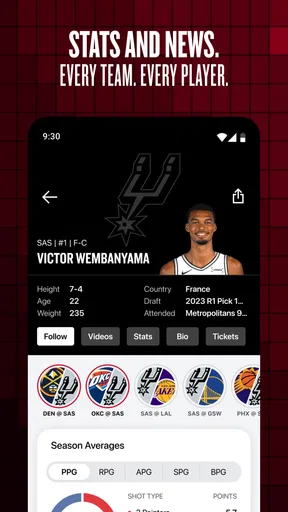
One of the coolest features is the real-time score updates. You get a play-by-play account of the game, making you feel as if you’re right there in the arena. The app also offers detailed stats for each game, so if you’re a numbers geek like me, you’ll love diving into the analytics.
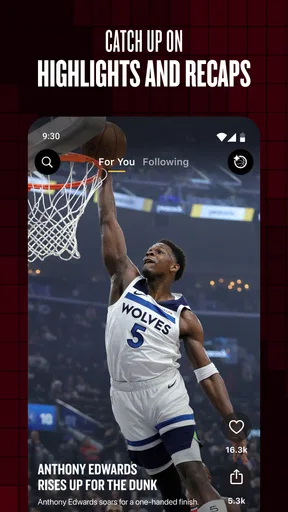
And let’s not forget about the custom notifications. You can set alerts for your favorite teams and players, ensuring you never miss a moment of their action. Plus, the app offers video highlights, so you can catch up on the best plays whenever you have a moment.
User-Friendly Interface
The design is sleek and intuitive, which I appreciate. Navigating through the schedule, stats, and highlights is a breeze. Everything is organized logically, so even if you’re not tech-savvy, you’ll have no trouble finding your way around.
I particularly like the personalized experience the app provides. You can tailor your feed to show the content that matters most to you. Whether it’s focusing on a particular team or player, or even just keeping an eye on league standings, it’s all at your fingertips.
Stay Connected and Share the Love
What’s more fun than watching a game? Sharing it with friends! The app allows you to easily share scores and highlights on social media. Trust me, your group chats will be buzzing with excitement.
Plus, there’s a community feel to the app. Engaging with other fans and discussing plays or players adds an extra layer of enjoyment to your NBA experience.
In conclusion, if you’re an NBA fan, NBA: Live Games & Scores is a must-have. It keeps you updated, informed, and connected to the game you love, no matter where you are. So go ahead, download it, and never miss a moment of the action again!
My recommendation
I recommend it most to people who follow the NBA regularly and want one league-focused place to check scores, browse game material and consider live viewing. It also makes sense for a fan who follows several teams and wants the flexibility to dip in briefly rather than arrange every evening around a broadcast. The app’s free download makes it easy to explore, while the Everyone age rating makes it broadly accessible to fans.
I would skip it as my main sports app if basketball is only an occasional interest, or if I already have a viewing service and score source that fit my habits better. For those readers, a general sports app or an existing TV setup may be less effort. If you do install it, set a restrained alert list and review any purchase carefully. In my view, that is the best way to enjoy its NBA focus without paying for more viewing than you need or letting game updates take over your day.
Pros
- Real-time score updates keep you informed.
- User-friendly interface for easy navigation.
- Comprehensive player stats available.
- Customizable notifications for favorite teams.
- High-quality video highlights.
Cons
- Frequent ads can disrupt the experience.
- Occasional lag in live streaming.
- Limited access to some features without subscription.
- App size is relatively large.
- In-app purchases can be costly.
FAQs for NBA: Live Games & Scores
What features does NBA: Live Games & Scores offer?
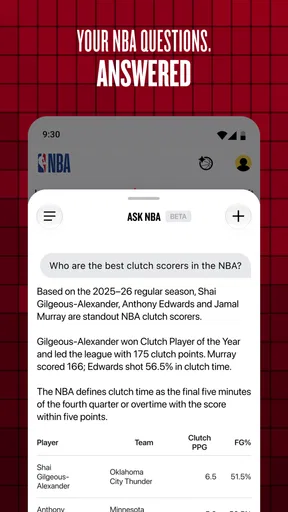
NBA: Live Games & Scores provides real-time updates on basketball games, including live scores, play-by-play commentary, and player statistics. The app also offers video highlights, news updates, and team standings. Users can customize notifications for their favorite teams and players, ensuring they never miss important updates or game alerts.
Is NBA: Live Games & Scores free to use?
Yes, the app is free to download and use, offering a range of features at no cost. However, there may be in-app purchases or subscription options available for premium content, such as access to exclusive videos or advanced analytics. These are optional and enhance the user experience.
Can I watch live games on NBA: Live Games & Scores?
While the app provides live scores and highlights, it does not stream full live games. Users can access video highlights and recaps shortly after games conclude. For live video streaming, users may need to subscribe to NBA League Pass or check local listings for broadcast options.
How reliable is the app's live score update feature?
The app is designed to deliver real-time updates with high reliability. Scores, stats, and play-by-play updates are refreshed frequently to ensure users have the latest information. However, the speed of updates can depend on user connectivity and server conditions during peak usage times.
What devices support NBA: Live Games & Scores?
NBA: Live Games & Scores is available for both Android and iOS devices. It requires a device running Android 6.0 or higher, or iOS 11.0 or later. The app is optimized for smartphones and tablets, providing a seamless experience across different screen sizes.


